 ChangeTextImage
Edit Text in Photo Online
Your original image and edited result will appear here.
Need to edit text in a photo? Drop the image in the editor, box the words you want changed, type the new wording and download. The AI matches the original font, colour and size and rebuilds the background, so the picture still looks untouched. It works as a photo text editor for product shots, screenshots, flyers and memes.
How to Edit Text in Photo in 3 Steps
Upload your photo
Drop your photo into the editor or choose an image from your device.
Box the words to change
Draw a box around the word or short phrase you want to replace. Keep the selection focused on that text.
Type the new wording and download
Enter your replacement text and generate the edit. Check the result, then download the updated photo.
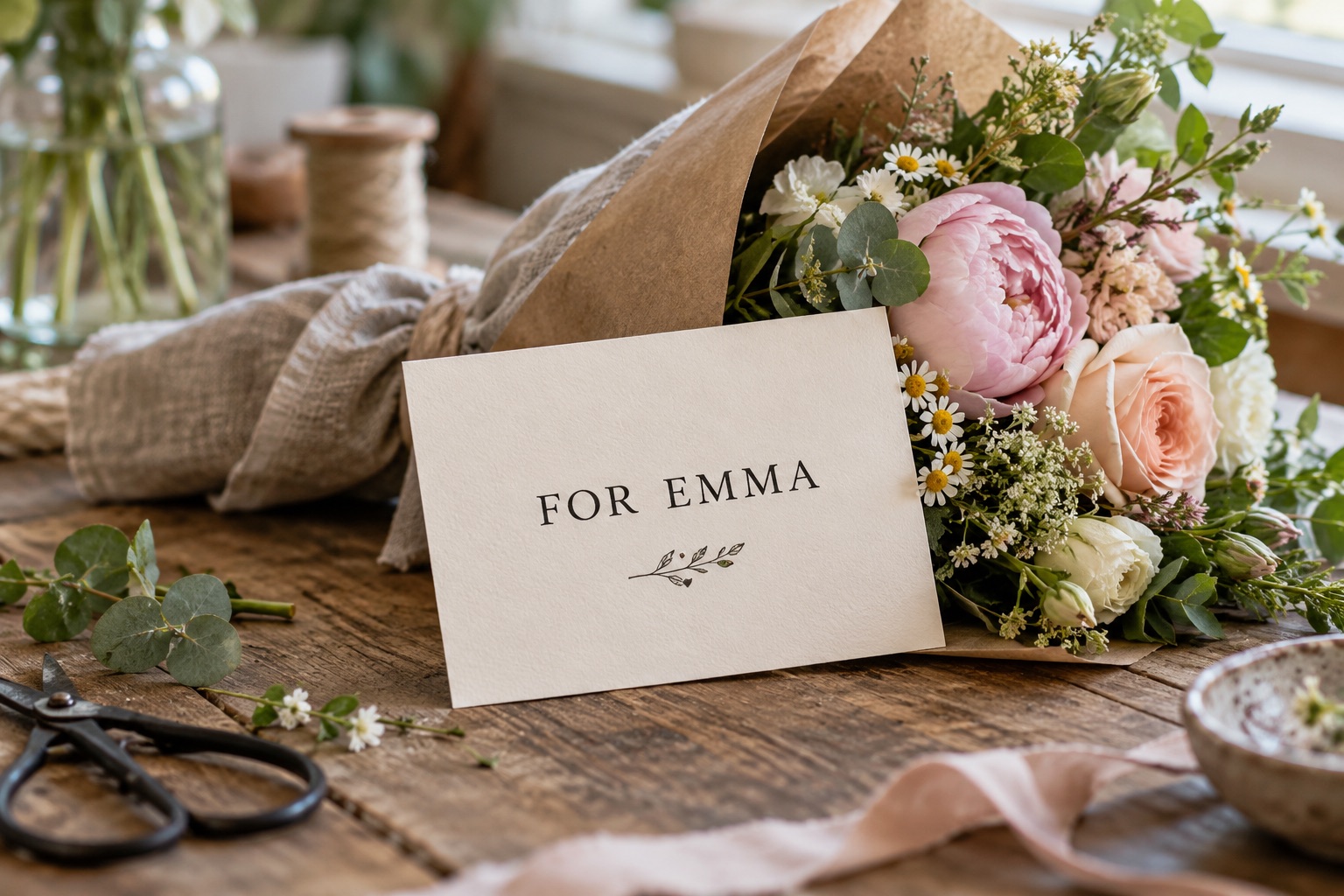
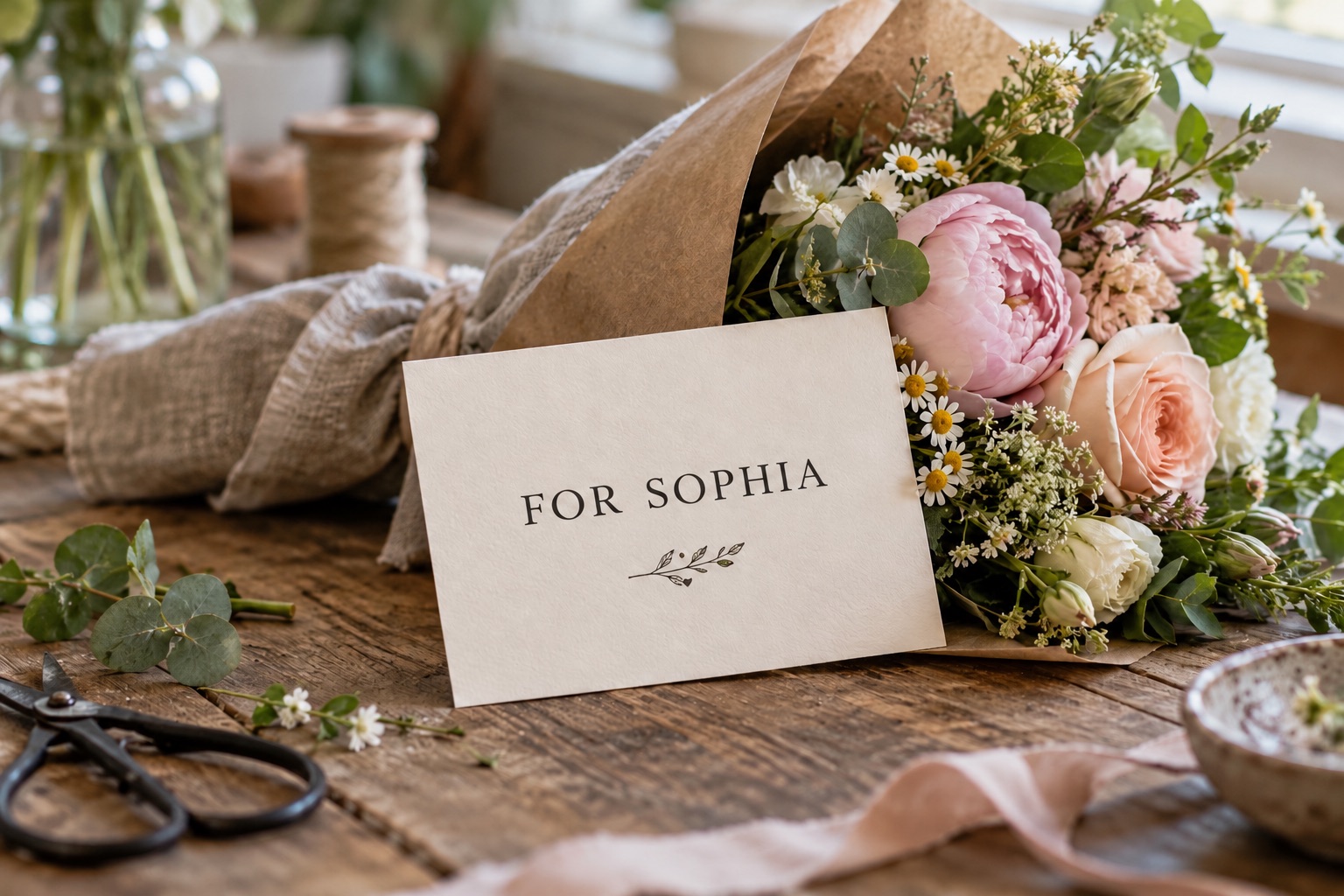
Edit Text in a Photo Without Photoshop
You do not need to learn layers, select a matching font by hand or paint over the old letters. To edit text in a photo online, select the words and enter their replacement. The AI handles the type styling and repairs the background around the new wording.
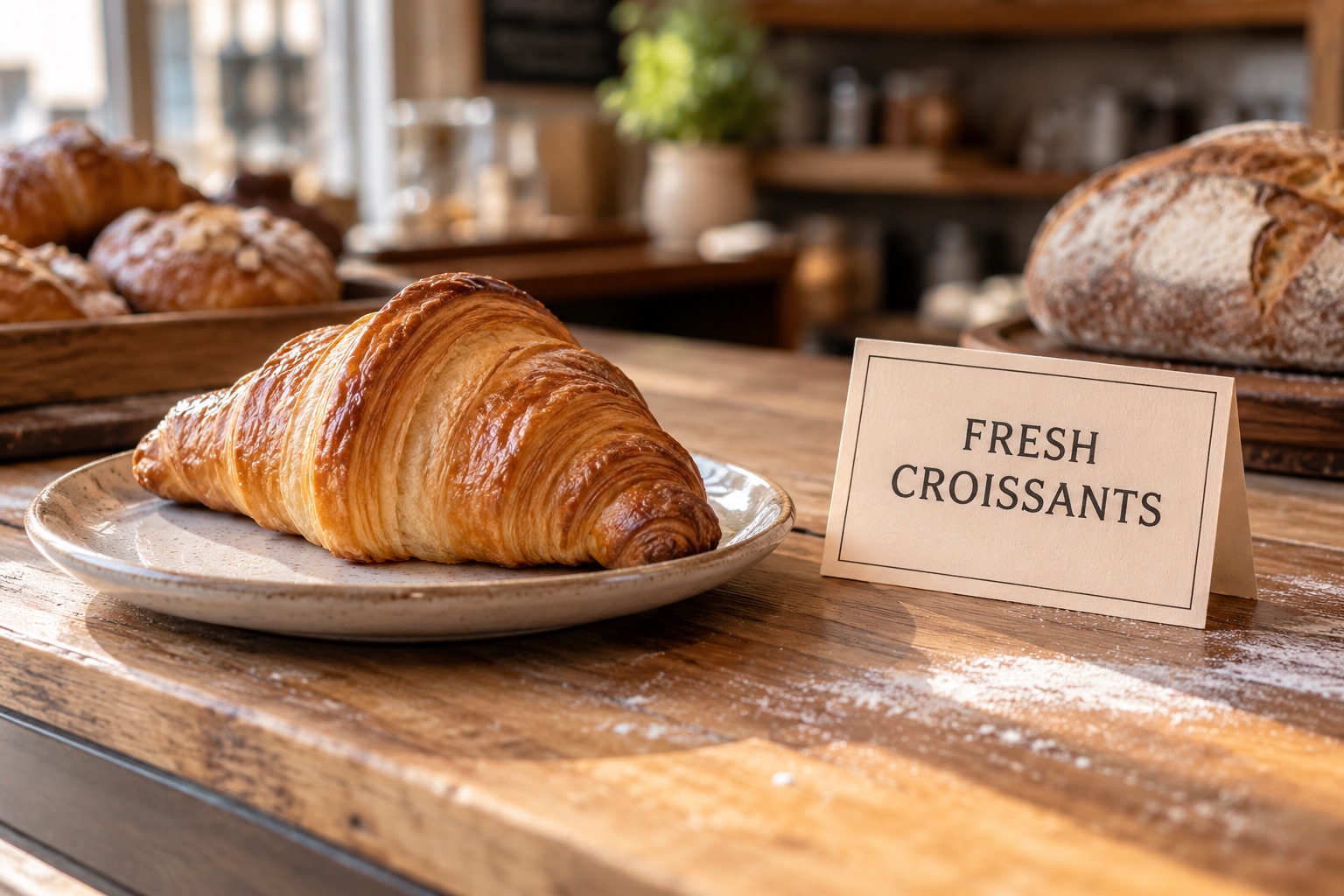

Fix a Typo or Change the Wording
Spotted a misspelled word after saving your photo? Correct a typo, replace a name or rephrase a short caption without recreating the image. Select just the wording that needs attention so the rest of your photo stays as it is.


Update Prices, Labels & Dates on Any Photo
Give an existing photo current information: replace a price on a product shot, update a label, change the date on a flyer or revise an item on a menu. Type the new value into the selected area so the photo carries the updated wording in a matching style.
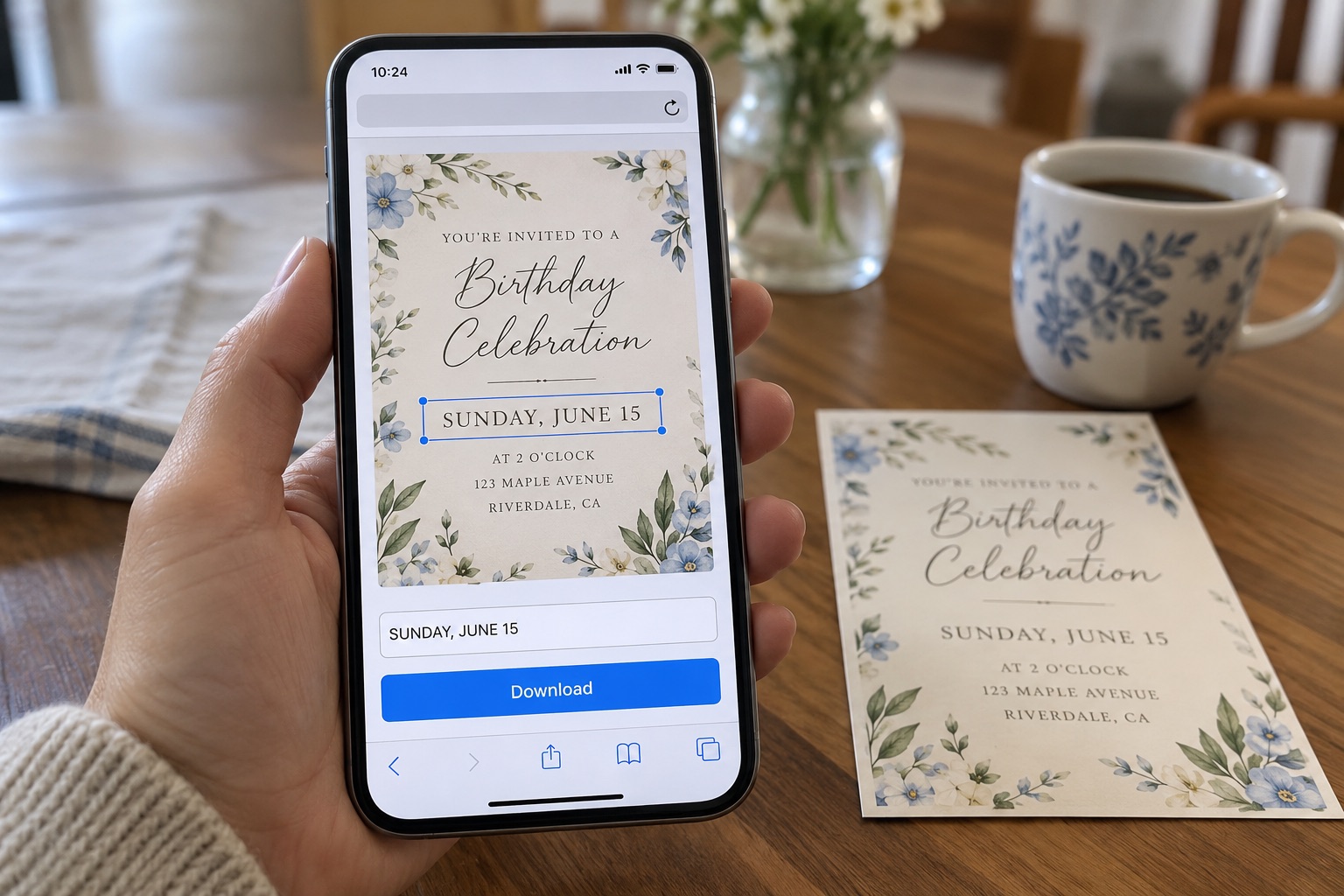
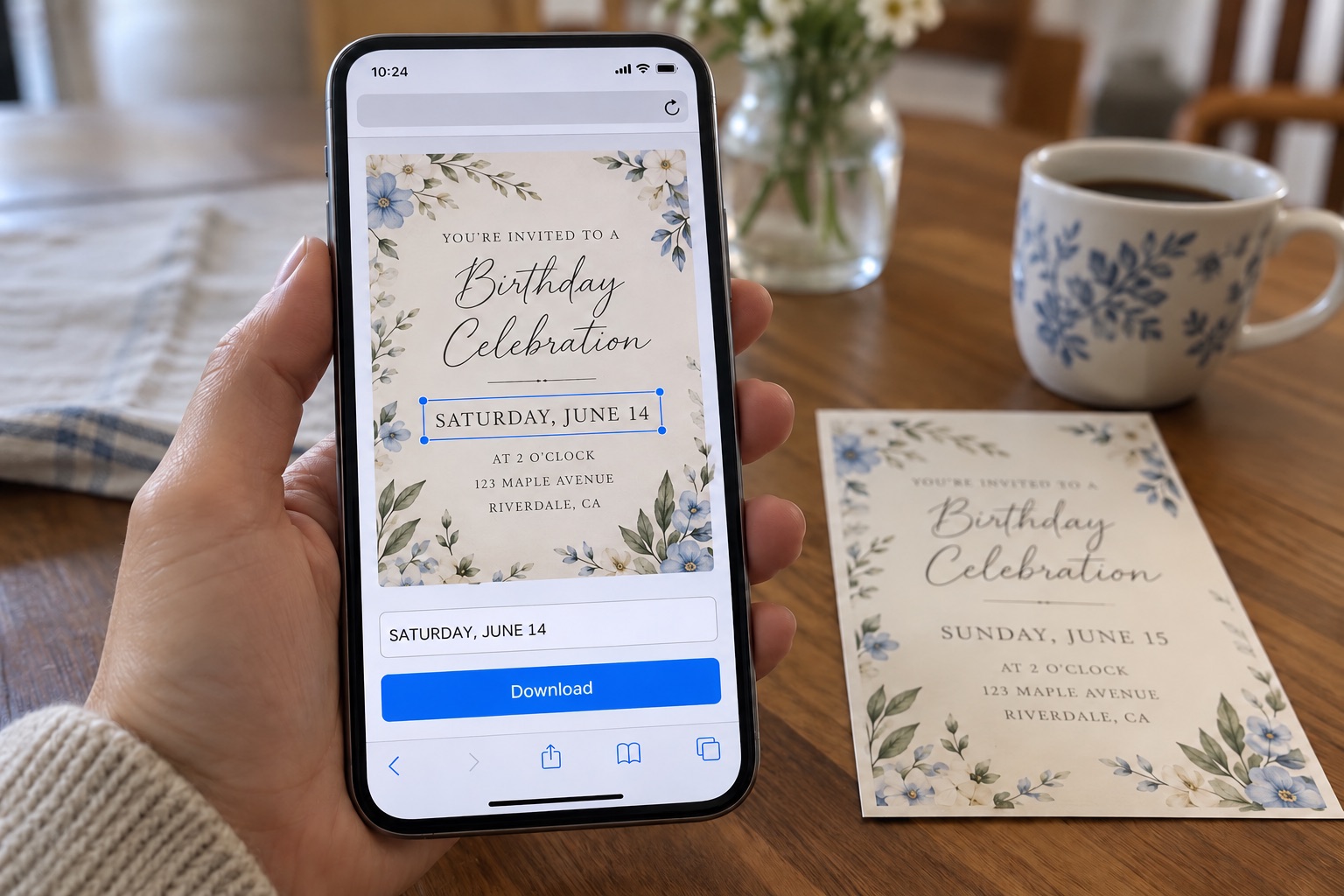
Edit Text in a Photo Online — Nothing to Install
Open the editor in your browser and upload a photo from your computer or phone. You can select the text, enter a replacement and download the result in the same place. There is no desktop software or mobile app to install.
Edit Text in Photo vs Change Text in Image
If the words only need to be hidden rather than replaced, blur text in image without uploading your photo.
This page is for changing a word or a short phrase inside a photo — a typo, a price, a name, a date. If you need to rewrite the whole design instead, use our Change Text in Image tool. If you just want the words gone with no replacement, use Remove Text From Image.
Edit Text in a Photo — FAQ
How do I edit text in a photo?
Upload the photo, draw a box around the words you want to change, type the new wording and download. The AI matches the original font, size and colour and rebuilds the background underneath, so nothing else in the picture moves.
Can I edit text in a photo without Photoshop?
Yes. The whole job happens in your browser — no layers, no cloning tool, no software to install.
Can I edit text in a photo on my phone?
Yes. The editor runs in a mobile browser, so there is no app to download.
Will the new text match the original font?
The AI reads the existing type and matches its font, weight, colour and spacing, then rebuilds the area behind it. The result stays consistent with the rest of the photo.
What if I only want the words removed, with nothing typed back in?
Use Remove Text From Image — brush the text away and the background is repaired with no blurry patch left behind.
Is editing text in a photo free?
You get one free generation to try it. After that, pick a plan — see pricing.