Starter
Most popularFor occasional edits
$14.90USD
400 credits · $0.37 USD / edit
- 40 text-edit generations
- 2K AI image generation
- No added watermarks
- Credits never expire
- Failed generations auto-refunded
The easiest way to change text in an image. Draw a box around the text you want to edit, enter your replacement, and AI matches the original font, color, and style — no design skills needed.
Your original image and edited result will appear here.
From a saved image to updated wording in three simple steps.
Drag & drop any JPG, PNG, or WebP image — even screenshots with complex backgrounds.
Drag to select the text area you want to edit, leaving a little background around it. Only matching text within this area will be replaced.
Enter the original text and your replacement, then generate the edited image. Review the result and download it.
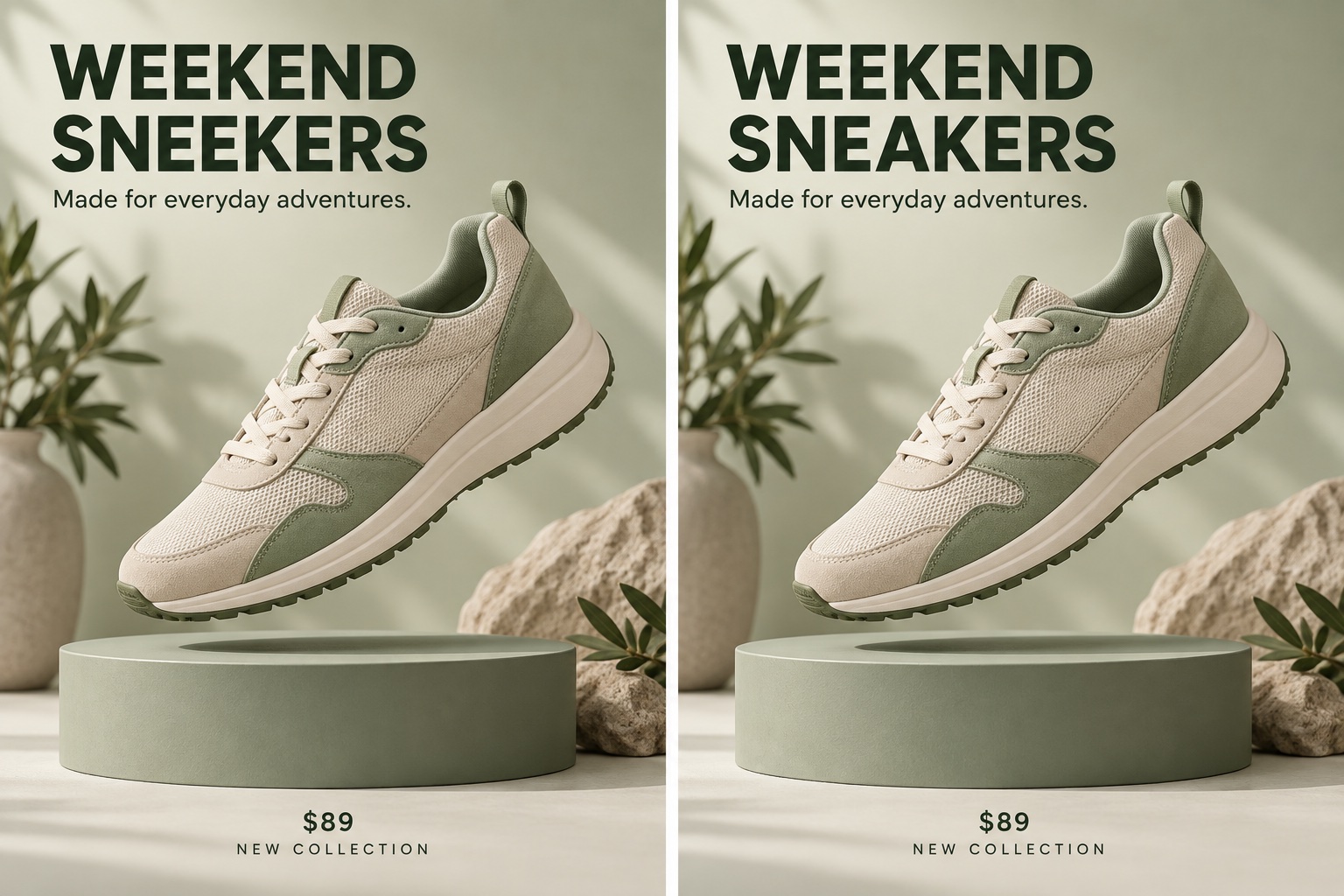
SMALL EDITS, BIG DIFFERENCE
Fix a typo in a finished design without starting over. Change text in an image, update the wording, and keep your creative direction — no layered source file or Photoshop needed.
Change text in your image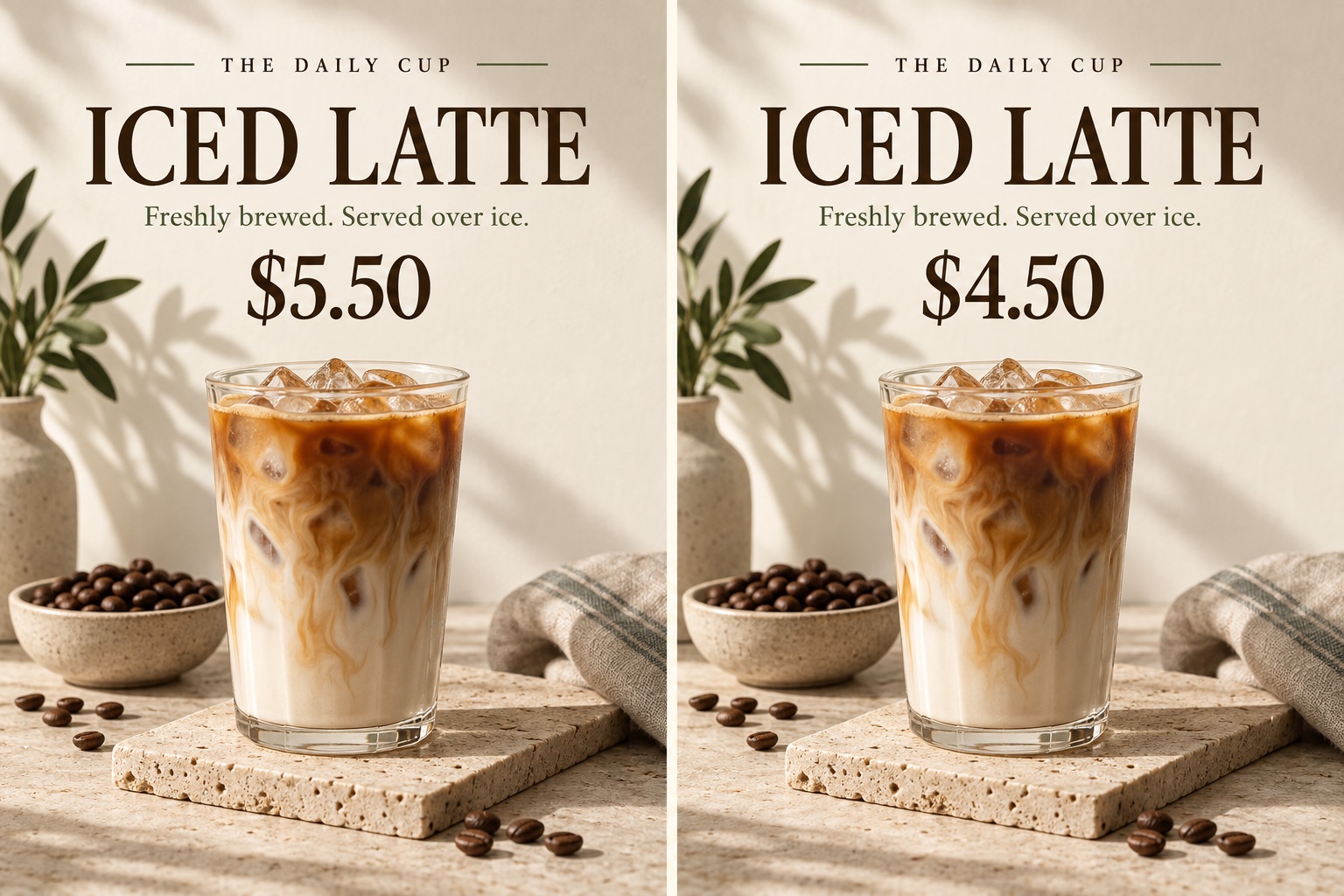
GIVE GOOD CONTENT ANOTHER GO
Fix typos, update prices, edit screenshots, or translate text. Use your original image as the starting point for new wording.
Spotted a spelling mistake after exporting? Change the text in your image without going back to Photoshop.
Need to replace "$49" with "$39"? Change text in the screenshot or product image in seconds.
Change dates, labels, or messages in app screenshots, social media previews, or email mockups.
Change text from one language to another while keeping the exact same visual style.
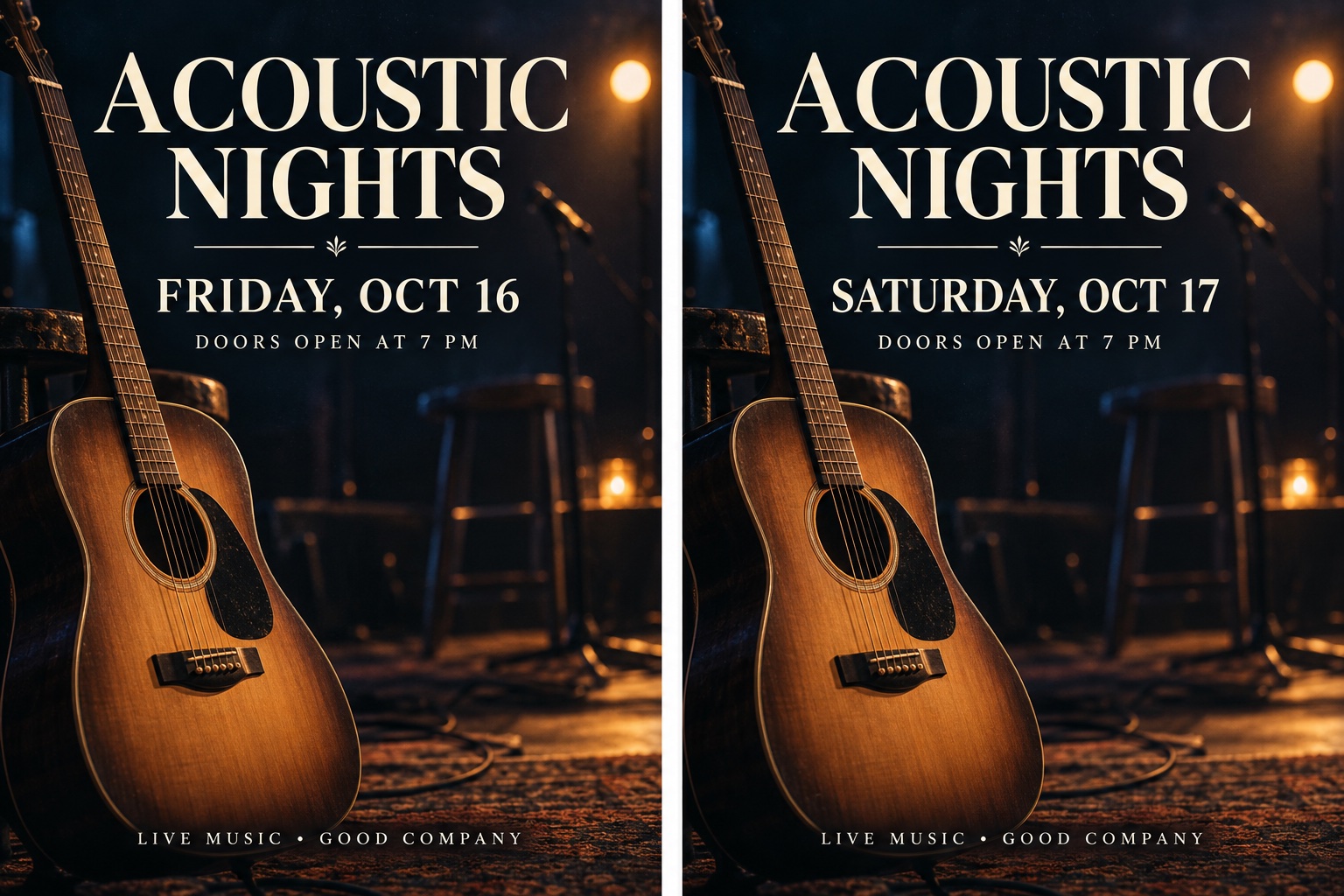
LESS SETUP, MORE CREATING
Edit text in a screenshot to update dates, labels, or messages in app screenshots, social media previews, and email mockups. Change the wording without recreating the entire screen.
Change text in your image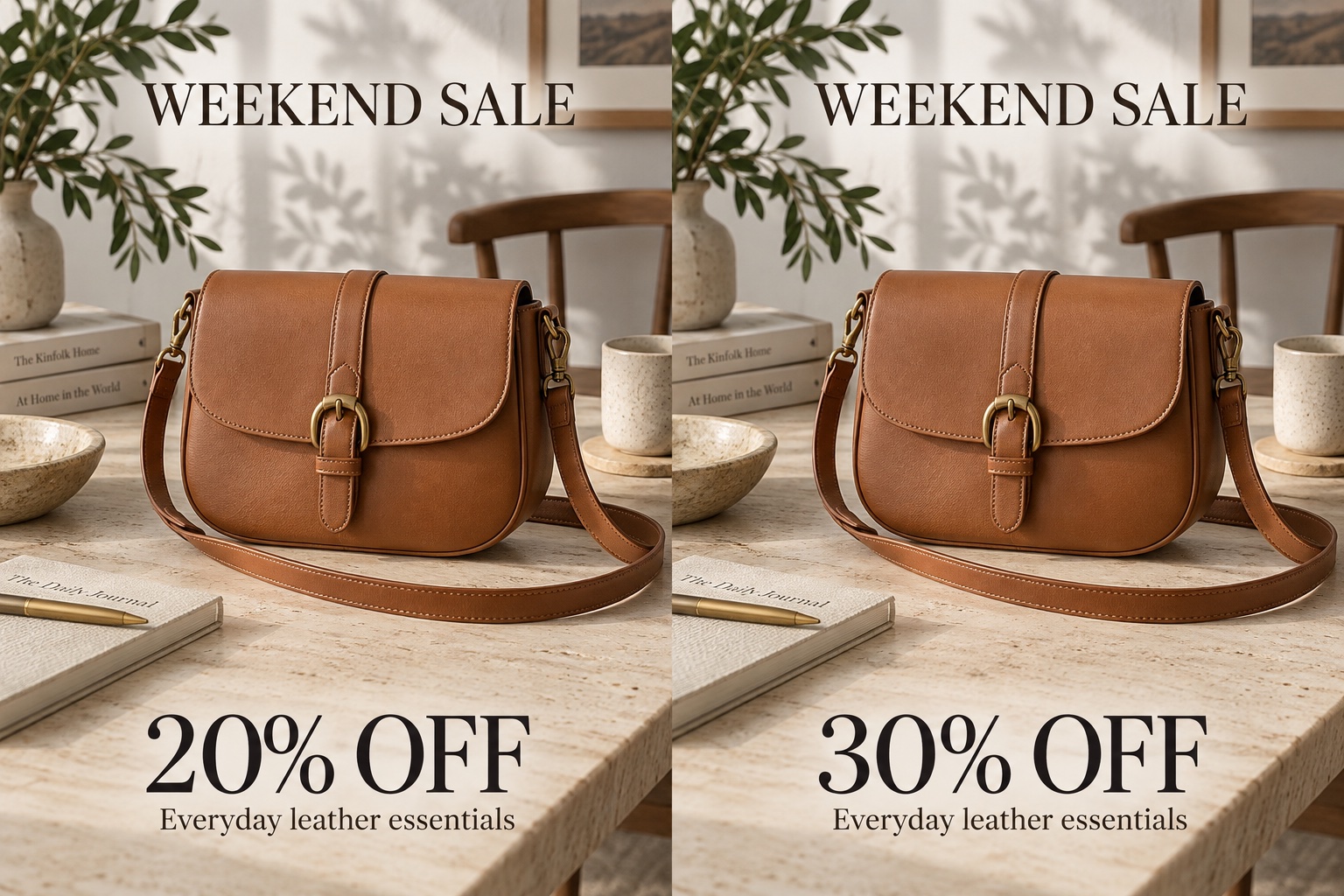
CAMPAIGNS THAT KEEP UP
A new promotion does not need a new product ad. Replace a discount or offer in your existing campaign image, then review the result before publishing.
Change text in your image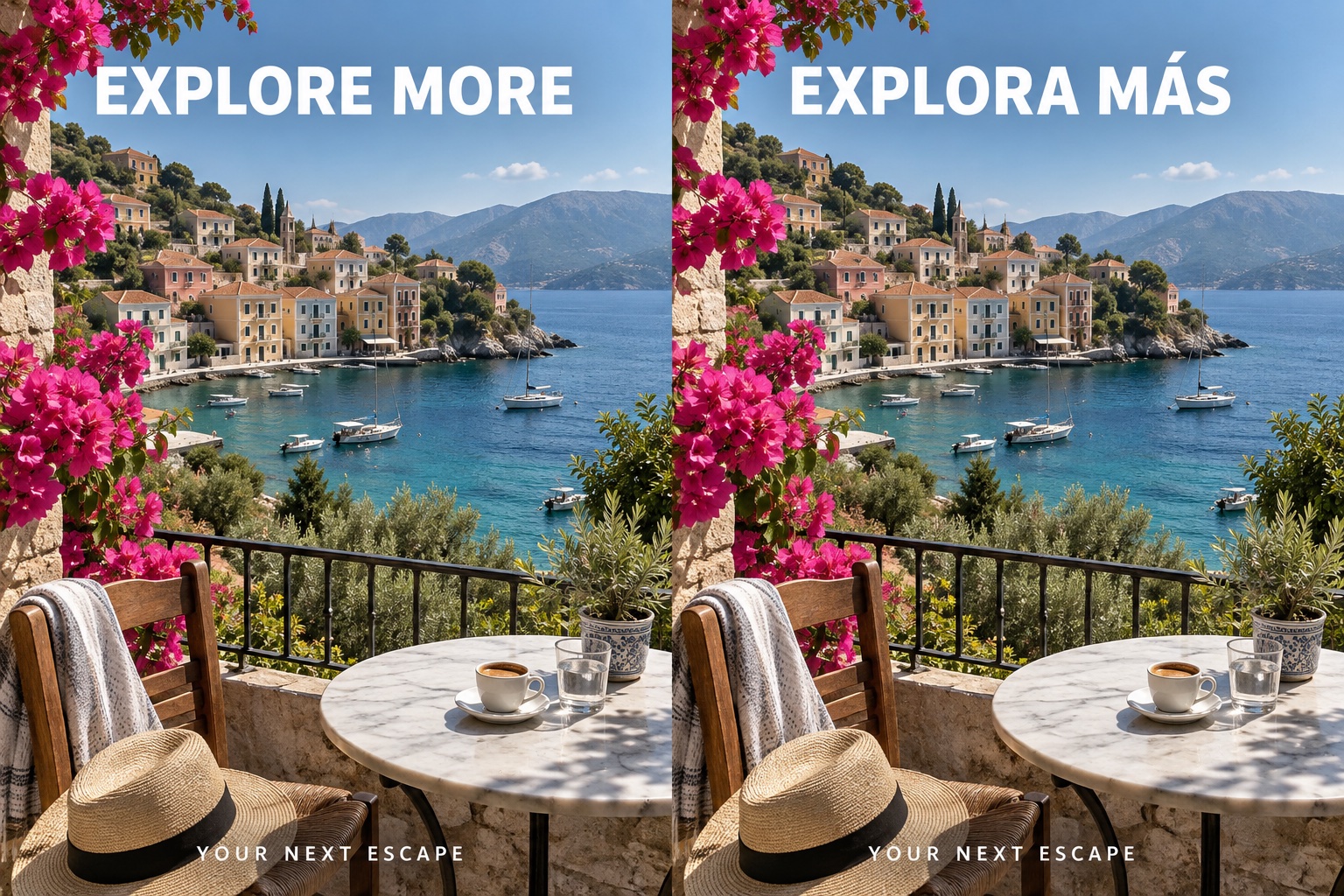
ONE DESIGN, MORE AUDIENCES
Bring your own translated wording and replace the headline in a travel ad, product graphic, or campaign image. Reuse the design and check spelling and layout for your new audience.
Change text in your image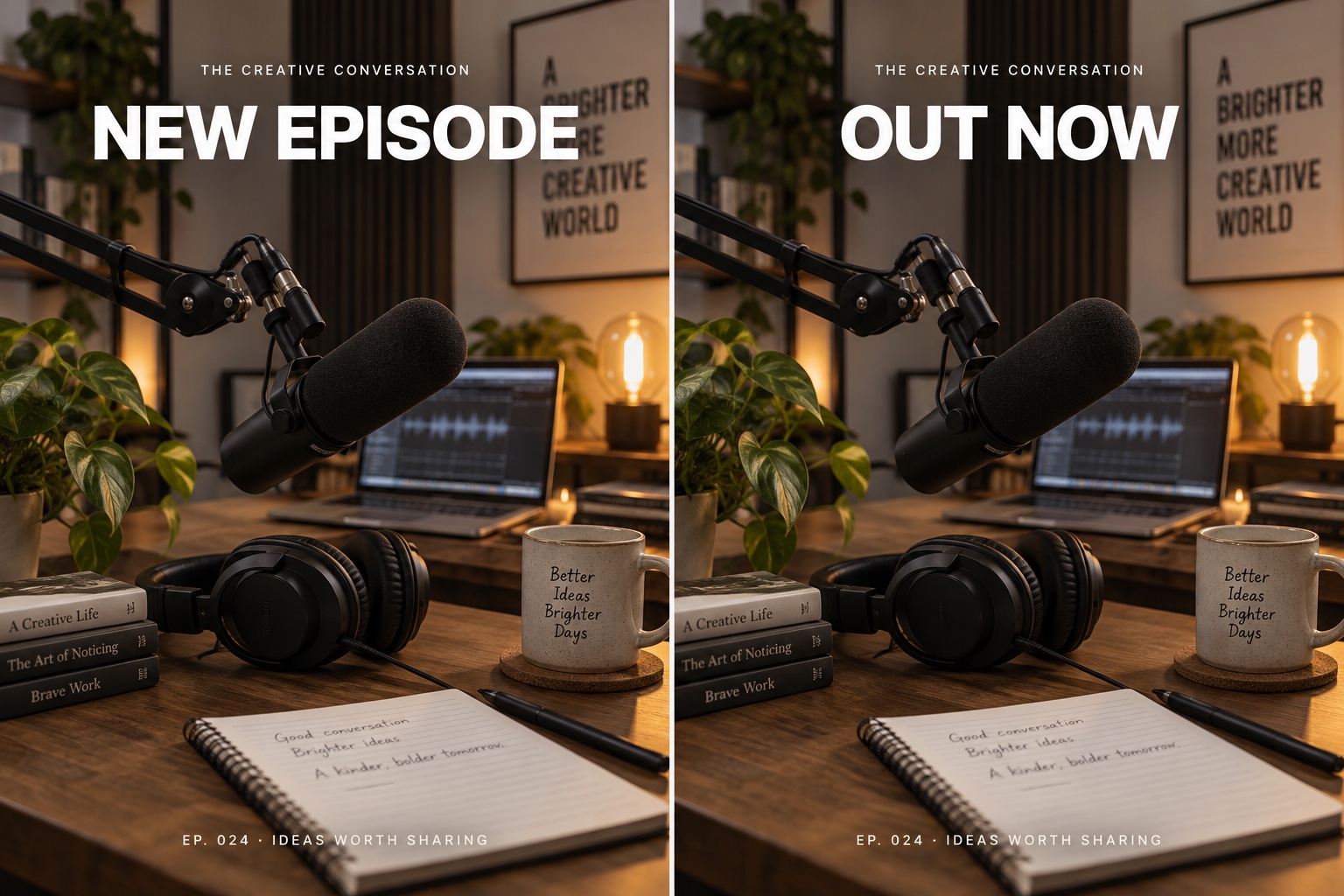
KEEP YOUR FEED CURRENT
Turn a podcast teaser into a release announcement, or refresh a recurring social post. Change the headline in your existing graphic without rebuilding the entire composition.
Change text in your image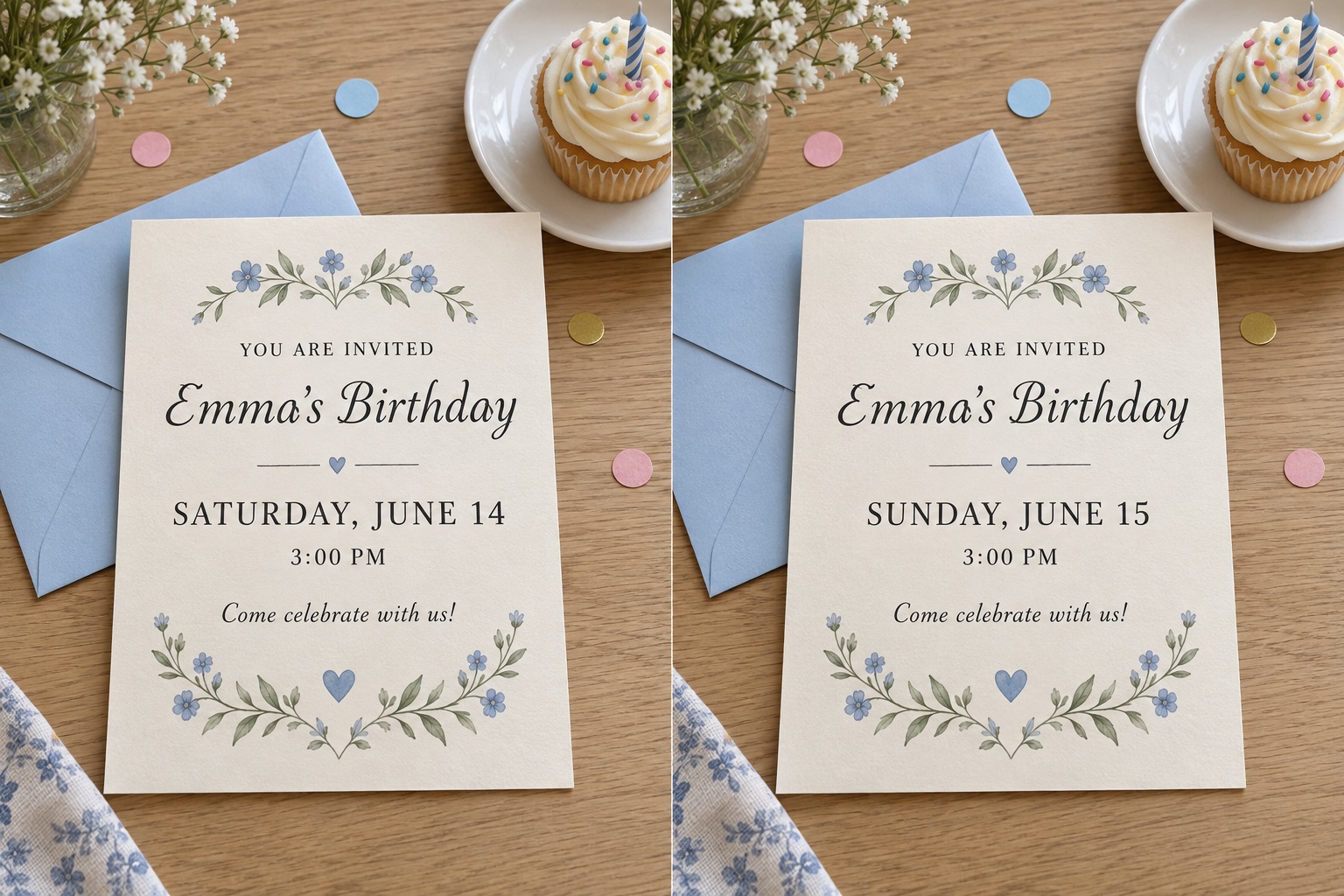
SMALL CHANGES FOR EVERYDAY LIFE
Birthday party moved to a new day? Select the date on your invitation image and enter the new wording. Review the result, then share the updated invitation with family and friends.
Change text in your imageOne-time credit packs, priced in USD. No subscription. Credits never expire.
New here? Sign up for one free generationFor occasional edits
400 credits · $0.37 USD / edit
For regular creators
1000 credits · $0.27 USD / edit
Best value for studios
1800 credits · $0.22 USD / edit
Each generation uses 10 credits. New accounts receive 10 free credits. One-time purchase, no recurring charges.
Our photo text editor detects the exact font in your image and matches it for seamless text replacement.
When you change text in an image, AI fills in the original background behind the old text. Works on wood, fabric, gradients, and complex textures.
The AI text editor copies the original color, weight, shadow, and perspective, so edited text looks completely natural.
Detects text in any language, even slanted, curved, or on busy backgrounds. Edit text in screenshots, posters, memes, and product photos.
Upload the image, drag a box over the words you want to replace, type the new text and download. The AI matches the original font and repairs the background — the whole thing takes under a minute, and you don't need Photoshop or any design experience.
Use a browser-based editor that works on the image itself. There's nothing to install: it runs in your browser, edits the pixels directly, and exports a finished PNG or JPG you can post or print.
The AI handles the hard parts: detecting the text, identifying the font, matching color and spacing, and rebuilding the background behind the removed characters. You only decide what the new wording should say.
Screenshots work exactly like photos. Box a menu label, a version number or an error message, type the replacement, and the surrounding UI stays pixel-identical.
Yes. By default the AI keeps the original style, but you can choose a different font, size or color if the new wording needs to look like a deliberate update.
Yes — the OCR reads Latin, Cyrillic, Greek and CJK characters, so you can translate a graphic and keep its design.
Yes. Leave the replacement field empty and the editor removes the text and repairs the background behind it. If erasing text is all you need, our image text remover is built for exactly that job.
You can try the editor without an account. Create one when you need more exports or higher-resolution downloads.
Make that small change you have been putting off. Upload your image and give the words a fresh start.
Change text in your image